US-192
28.304341,
-81.4008011
How Navigation Apps Interpret Traffic on US-192
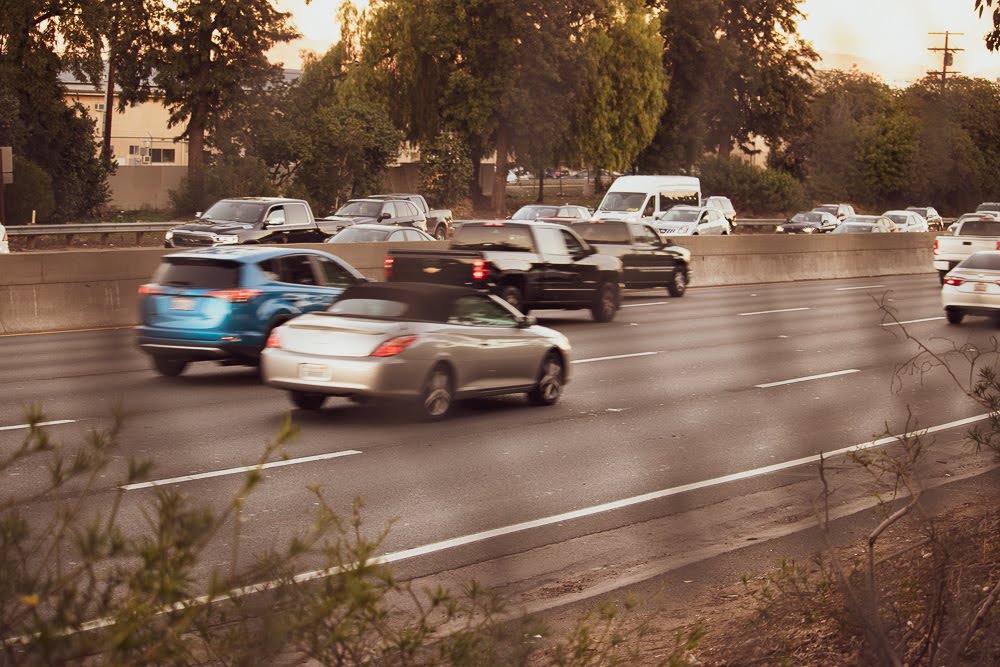

Traffic and incident information on US-192 comes from multiple sources and reflects tourism volume, dense commercial access points, local road activity, and time-based traffic surges. Navigation apps process this data to generate route suggestions and real-time navigation alerts, but they rely on speed patterns rather than direct observation. As a result, app-based traffic reporting may show congestion, delay, or incidents without fully explaining the cause.
Below is a structured explanation of how navigation apps interpret traffic on US-192 and why conditions on this corridor can change faster than digital maps update.
How GPS Traffic Data Measures Speed on US-192
Navigation apps US-192 rely primarily on GPS traffic data collected from smartphones and in-vehicle systems. These systems measure speed, direction, and travel time across specific roadway segments.
When average speeds drop below expected levels, apps flag the segment as congested. The system does not “see” a crash or turning vehicle. It only detects slower movement compared to typical conditions for that time of day.
Because US-192 includes frequent signals and access points, speeds fluctuate naturally. Apps may interpret normal stop-and-go movement as unusual congestion if the slowdown exceeds baseline expectations. Drivers should understand that speed-based detection does not identify the reason behind the change.
Does the app track every vehicle?
No. Apps rely on participating devices. If fewer devices report from a segment, the traffic estimate may lag or fluctuate.
Why Traffic App Accuracy Changes by Time of Day
Traffic app accuracy varies depending on how much data flows into the system. During peak tourist hours, thousands of devices travel along US-192, which gives apps more real-time input.
More devices improve speed averaging and reduce delay in detecting slowdowns. During off-peak hours, fewer devices report data, which can cause estimates to update more slowly or rely on historical patterns.
On weekends and holidays, traffic behavior shifts from commuter patterns to tourist-focused surges. Apps adjust based on observed speeds, but sudden spikes in volume may appear before the system recalculates expected travel times. Drivers may notice route times increasing rapidly within minutes.
How Apps Classify Congestion Without Identifying a Cause
Navigation platforms classify congestion based on travel speed thresholds. If speeds drop consistently across multiple devices, the app marks the roadway in yellow, orange, or red.
The system does not determine whether a minor disruption on US-192, such as a signal delay or heavy turning traffic, caused the slowdown. It only measures the result. This approach explains why apps often display congestion even when no visible crash or closure appears ahead.
In high-density commercial corridors like US-192, minor disruptions frequently trigger traffic ripple effects. Apps display the ripple as a continuous slowdown, even if the original trigger has cleared.
Why does the map stay red after traffic improves?
Apps use averaging over short time intervals. If speeds remain low for several minutes, the map may continue to show congestion until enough higher-speed data replaces the older readings.
How Real-Time Navigation Alerts Detect Incidents
Real-time navigation alerts combine automated speed detection with user-submitted reports. Drivers can report crashes, disabled vehicles, or debris. Other users then confirm or dismiss the report.
If multiple confirmations occur, the app increases the alert’s visibility. However, confirmation depends on active participation. On fast-moving segments, drivers may not have time to submit or verify a report.
Official data feeds also contribute to alerts. Some apps integrate information from state transportation agencies. For verified roadway updates and confirmed incidents, drivers can consult the Florida Department of Transportation’s 511 system, which provides state-managed traffic information.
Even with these sources, apps may label an area as “incident reported” without describing scale or severity. Drivers should interpret alerts as indicators rather than detailed explanations.
How Apps Predict Travel Time Through Signal-Dense Corridors
US-192 includes closely spaced signals and frequent commercial driveways. Apps estimate travel time by combining current speeds with historical patterns for similar days and times.
When traffic operates smoothly, historical data provides reliable projections. During irregular surges, such as holiday evenings or post-event traffic, prediction accuracy decreases. The app recalculates as new data arrives, which can cause travel times to change while a driver remains on the same segment.
Because signals release traffic in cycles, vehicles may move in uneven waves. Apps interpret these waves as fluctuating speeds. Drivers may see arrival times adjust upward and downward even when roadway conditions appear stable.
Why Different Navigation Apps Show Different Conditions
Different apps use different data sources and processing methods. One platform may rely heavily on crowd-sourced speed data, while another integrates additional sensor feeds or proprietary modeling.
Sampling locations also vary. If one app measures speed at a segment near a busy intersection and another samples mid-block, their congestion estimates may differ. This variation explains why one map may show moderate delay while another shows heavy congestion on the same stretch of US-192.
Data refresh intervals also differ. Some apps update segments more frequently, which produces quicker reactions to sudden congestion escalation. Others make smooth changes to avoid constant fluctuations. Drivers comparing apps should expect short-term inconsistencies.
Should drivers rely on one app?
Using more than one verified source can provide a broader view of conditions, especially during peak travel periods.
How App-Based Traffic Reporting Handles Minor Disruptions
App-based traffic reporting reacts to the outcome of minor disruptions rather than the disruption itself. A single vehicle slowing to turn into a hotel entrance can reduce average speed enough to trigger a congestion indicator.
If multiple small slowdowns occur within a short span, the system may display a continuous red segment. Drivers may assume a major event occurred when the slowdown reflects normal access activity amplified by heavy volume.
On corridors like US-192, which operate near capacity, small incidents and major delays occur because spacing leaves little room for recovery. Apps detect the sustained speed drop but do not attribute it to turning traffic, signal timing, or visitor hesitation.
As speeds recover, the system gradually reclassifies the segment. This transition may take several update cycles, which creates a short lag between roadway improvement and visual map change.
Frequently Asked Questions About Navigation Apps on US-192
- Do navigation apps detect crashes automatically?
Apps detect sudden speed drops. They rely on user reports or official feeds to confirm a crash. - Why does my arrival time keep changing?
Apps continuously recalculate based on current speeds and updated segment data. - Why do apps reroute me through side streets?
If the app predicts a longer delay on US-192, it may suggest alternate routes based on comparative travel time, not necessarily incident severity. - Are real-time navigation alerts always current?
Alerts reflect the most recent confirmed data, but short delays or improvements may occur before updates appear.
What Drivers Should Keep in Mind When Using Navigation Apps on US-192
Navigation apps interpret traffic on US-192 through speed measurements, device sampling, and user input. They do not directly observe driver behavior, signal timing, or commercial access activity. Minor disruptions, ripple effects, and fluctuating signal cycles often appear as generalized congestion.
Drivers who understand how GPS traffic data works can better interpret color-coded maps and travel time estimates. Checking official transportation sources alongside navigation apps provides added context during heavy travel periods. By recognizing how digital systems measure and classify roadway conditions, drivers can make more informed decisions while traveling along US-192 in Central Florida.
For more information about how navigation apps interpret traffic on US-192, get in touch with us by filling out our contact form on our website.
Accidents currently listed on us192accidents.com
12 accidents in 2022